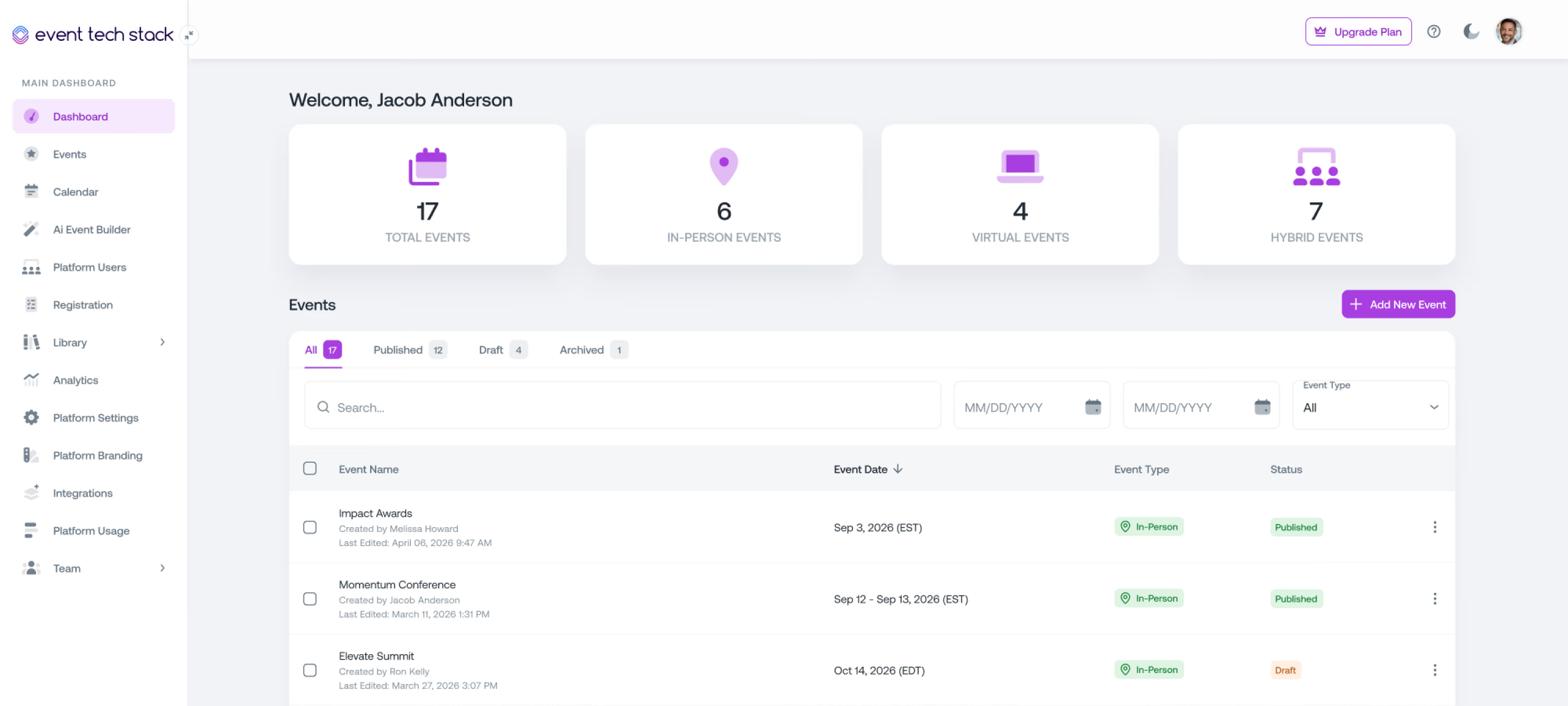
Handle Capacity
and Waitlists
Without the Chaos
Event Tech Stack manages capacity limits and waitlists automatically, so when demand spikes, registration stays accurate and open spots get filled.
Capacity problems shouldn't follow you into the event
Most teams manage capacity with manual checks, spreadsheet exports, and crossed fingers. That’s not a system, it’s a risk.

Manual capacity monitoring
Registration levels fill at different rates, sessions have their own limits, and there’s no single place to see it all. You’re refreshing dashboards and checking spreadsheets when you should be focused on the event.
Waitlist chaos
A spot opens up, and someone on the waitlist needs to be notified. Instead, you’re figuring out who’s next, checking contact details, sending emails, and hoping they respond in time.
Overbooking risk
When capacity isn’t enforced in real time, overbooking becomes inevitable. And when you catch it late, or on-site, it’s a problem that’s hard to fix.
Capacity and waitlists that stay under control
Event Tech Stack manages capacity and waitlists in real time across registration levels and sessions, so everything stays accurate as registrations come in.
Registration-Level Capacity Limits
Set capacity for each registration level
Set capacity for each registration level and control what happens when it fills. Automatically close registration, enable a waitlist, or close on a specific date. Each level is managed independently, so filling one doesn’t affect the others.
Session-Level Capacity Enforcement
Control access to each session
Set capacity at the session level, separate from overall registration. Add optional waitlists and define how spots are allocated by registration level or attendance type. When a session fills, attendees can see what’s still available and choose an alternative.
Waitlist Management
Keep track of demand without manual work
When waitlists are enabled, attendees are automatically added as capacity fills. Their position is tracked so you always know who’s next without managing lists manually.
Waitlist Notifications
Notify attendees when spots open
When a spot opens, the next attendee on the waitlist can be notified and given a window to confirm their registration.
Real-Time Capacity Dashboards
See capacity as it changes
Track fill rates, waitlist depth, and availability across registration levels and sessions in real time so you always know where things stand.
A waitlist experience that doesn't feel like a dead end
Landing on a waitlist doesn’t have to feel like a question mark. Attendees know where they stand and what to expect as spots become available.

Waitlist Status & Notifications
Waitlisted attendees receive confirmation when they’re added and can be notified as their status changes or spots become available.

Waitlist Position Transparency
Attendees can see their waitlist status, reducing inbound questions and setting clear expectations.

Conversion to Registered
When a spot becomes available, attendees can move from waitlisted to registered without restarting the registration process.
See what’s filling and what still has room
Real-time capacity data helps you make informed decisions during registration, not after the event is over.

Registration Level Overview
See how each registration level is filling and where capacity is still available so you can adjust before registration closes.

Session Demand
See which sessions are filling & use that data to plan rooms, schedule speakers, or add session repeats for your next event.

Waitlist Visibility
Monitor waitlist depth by registration level & session. A growing waitlist signals demand, & capacity may need to be adjusted.
Why teams switch to Event Tech Stack
Built by event professionals for the reality of live events, where updates need to happen instantly, and your technology can't be the thing that breaks.
01
True Unified System
Data flows instantly across every part of your event without manual syncing or integration delays. Changes happen once and update everywhere in real time.
02
Built by Event Professionals
Built by people who've run events under real pressure and know that last-minute changes and live coordination aren't edge cases, they're how events work.
03
Flexible & Scalable
Scale your events without hitting artificial limits, feature restrictions, or pricing penalties. What works for your first event still works when you're running hundreds.
04
Quick Setup
Launch new events quickly by building on proven systems while maintaining full control over configuration and customization.
The platform event professionals lean on when it matters the most
From Fortune 500 companies and production agencies to small businesses, event professionals choose Event Tech Stack when seeking a reliable, flexible solution.

Executing events across a multi-day program in Cannes gets complicated. Each event or experience requires custom reg flows to manage unique audiences, schedules, and execution. Bringing all of our registration onto a single platform with ETS made all the difference. Our partners and guests were able to register once, using a single credential to access multiple events. Our team had access to comprehensive tracking and analytics across the entire program.
View Case StudyBrian
Global Tech Director, B2B Marketing

I wanted to say a massive thank you & well done for all your efforts. You made it all happen & work seamlessly and everyone is so appreciative of the success you pulled off – we’re all super impressed & grateful!
Jamie C.
Head of Production

We found ourselves in a very challenging position – and you and your intrepid team came through like no other. Beyond impressive. Closer to miraculous.Know you have made a LOT of friends at EY.
Lisa S.
Director, Brand, Marketing & Communications, Americas


Thank you for all you have done to make every Light The Night event spectacular this season. From building the platform – to customizing the platform across the 78 market sites – to executing the event nights with us. HUGE THANKS!
Jana B.
VP Campaign Development, Community Initiatives

Everyone was incredibly pleased with the Service Heroes Virtual Event and we’ve been flooded with amazing feedback from executives! We wanted to extend our sincerest thank you to the ETS Team.
Amanda S.
Senior Producer

Attendees were loving every bit of the platform and content! Through your tireless efforts between pre-production and during the show, this was certainly a success and we’re grateful for your partnership along the way.
Jon S.
Senior Producer
For the first time ever, we were able to see all participants across all Cannes events, from delegate sessions to the cocktail hours to the main party, all in one place. The ETS platform enabled a comprehensive view with 12K participants so we could see everyone who was invited, registered, and attended. In addition to just knowing who was there, this data enables a better calculation for ROI purposes.
View Case StudyBarton
Director, Global Marketing Ops & Analytics


One platform to power every part of your event
Explore how Event Tech Stack unifies your entire event ecosystem in one scalable platform.

Event Registration
Flexible event registration structures with access controls, approval workflows, and session-level permissions.

Event Marketing & Communications
Send event emails and SMS communications directly from the platform with built-in tracking and segmentation.

Event Websites
Launch fully branded event websites with integrated registration and dynamic content management.

Capacity & Waitlist Management
Control event and session attendance with configurable capacity limits and automated waitlists.

Livestream & VOD
Stream live sessions and deliver on-demand content using built-in video infrastructure.

Onsite Check-in & Badging
Manage high-volume attendee check-in with QR scanning, kiosks, and on-demand badge printing.

Attendee Event Hub
Provide attendees with one destination for accessing events, sessions, and content across web and mobile.

Analytics & Reporting
Monitor registration, attendance, engagement, and livestream performance in real time.

AI Event Builder
Generate event structures, pages, and communications using AI-assisted setup workflows.

Mobile App with Real-Time Sync
A mobile app that syncs instantly with the event platform so attendees always see the latest schedule, sessions, and updates.

Multi-Event Management
Manage multiple events from one platform with shared settings, branding, and data. Reuse templates, track performance across events, and scale without rebuilding from scratch.

Networking & Engagement
Let attendees connect, chat, and engage with speakers, sponsors, and other attendees to grow their network and build connections.

Speaker Management
Give speakers their own space to submit content and updates, keeping your agenda, sessions, and event pages current without manual edits.

Meetings Management
Let attendees, sponsors, and exhibitors book meetings during your event, with real-time availability and confirmations built into the platform.

Continuing Education
Run accredited programs with attendance tracking, completion requirements, and automated certificates tied directly to each attendee's record.
Frequently Asked Questions
Quick answers about event marketing and communications in Event Tech Stack.
Can I set different capacity limits for each registration level?

Yes. Each registration level can have its own independent capacity limit. When a level fills, registrants for that level join a waitlist automatically while other levels remain open.
Can I set capacity limits at the session level?
Absolutely. Session-level capacity enforcement works independently of your overall registration limits. You can set a maximum attendance per session, and Event Tech Stack prevents overbooking in real time as attendees make their session selections during registration.
What happens when a registration level hits capacity?
New registrants are automatically moved to the waitlist for that level. They receive an immediate confirmation that they've been waitlisted. You don't have to do anything manually as the transition happens in real time.
How are waitlisted attendees notified when a spot opens?
When a cancellation releases a spot, the next waitlisted attendee is notified automatically via email. They receive a prompt to confirm their registration within a configurable response window. If they don't respond in time, the next person in the queue is notified.
Can I manually move someone from the waitlist to confirmed?
Yes. If you need to manually approve or move a specific attendee from the waitlist, you can do that directly from the admin dashboard without disrupting the automated queue for other waitlisted attendees.
Does capacity enforcement apply to both in-person and virtual attendees?
Yes. You can set separate capacity limits for in-person and virtual registration types within the same event, and each enforces independently. This is particularly useful for hybrid events where room capacity and virtual platform limits differ.
Can I adjust capacity limits after registration opens?
Yes. You can increase or decrease capacity limits at any time during open registration. If you increase a limit, waitlisted attendees are automatically notified of the newly available spots. If you decrease a limit, the system flags any overages for your review.
See How Event Tech Stack Powers Your Events — In Just 30 Minutes
Book a live demo to see how Event Tech Stack supports your specific event format.