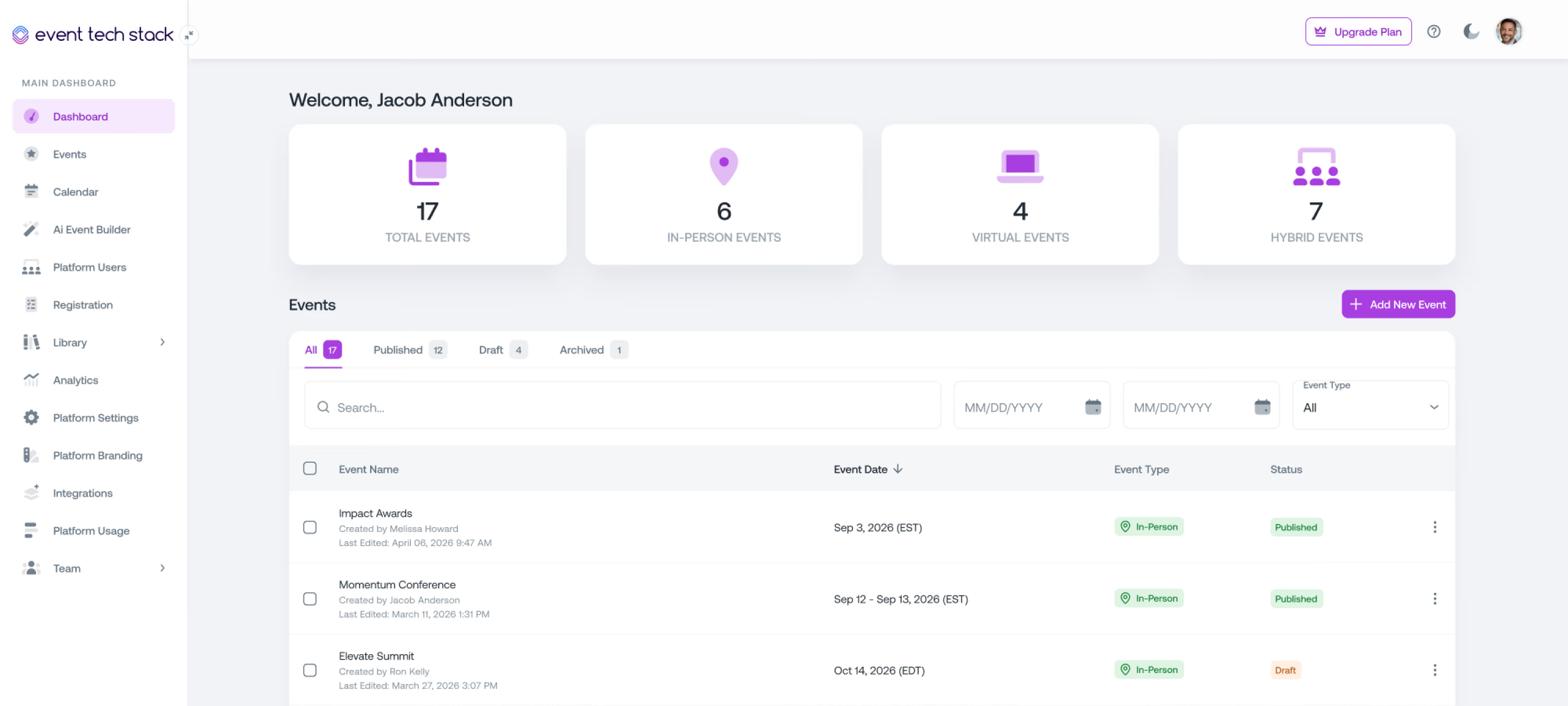
Everything Event Tech Stack can do
From the first invitation to the final report, here's every tool your team has to plan, promote, and run in-person, hybrid, and virtual events. Make a change once, and it shows up everywhere it needs to.


Features List
Event Registration & Payments
Build registration paths for every audience, each with the access rules, pricing, and approvals it needs.

Multiple registration levels with tailored registration paths
Custom registration forms with conditional fields
Public or invite-only access by registration level
Approval-based registration
Email domain restrictions
Guest registration linked to the primary registrant
Session registration
Session access, pricing, and included sessions by registration level
Coupons and discounts
Stripe and Authorize.net payments
Registration refunds
Registration list imports
Bulk updates to registration records
Partial registration capture for follow-up
Registration status tracking, including Added to Event, Invited, Registered, Declined, and Attended
Automated email and SMS confirmations for registrations and declines
Automated messages at every approval step
Capacity & Waitlist Management
Set limits for every level and session. When spots open up, waitlists fill them automatically.
Event and session capacity limits by registration level
Separate in-person and virtual capacities
Automatic registration close at capacity or on a set date
Event and session waitlists with queue tracking
Automatic waitlist confirmations and spot-available notifications
Waitlist status visible to registrants
Manual waitlist approvals
Capacity changes that update availability in real time
Capacity and waitlist dashboards
Event Websites
Launch branded event websites that update themselves when your agenda, speakers, or sponsors change.
Drag-and-drop event website builder
Custom pages and branding
Mobile-responsive layouts
Page templates and custom sections
Custom navigation and menu links
Ready-made speaker, agenda, sponsor, and FAQ components
Automatic updates from connected event content
Content tailored by registration level or registration status
Built-in user registration
Livestream and on-demand content access
Public or login-protected sites
Page-level access controls
Password-protected previews for stakeholders
Event Marketing
Promote your event and keep audiences informed with email and SMS connected to live registration data without exporting any lists.
Email campaigns and SMS messaging
Drag-and-drop email builder
AI Email Builder to create emails in minutes
Reusable branded email templates
Calendar invites attached to emails
Custom sending domains
Scheduled email and SMS
Audience filters by registration status, level, session selection, and custom fields
Automated confirmations, reminders, and follow-ups
Real-time open, click, bounce, and delivery tracking
UTM tracking and campaign reporting
Agenda & Session Management
Build multi-track programs once. Every change syncs to your website, Event Hub, and mobile app.
AI Agenda Builder that drafts your agenda from a run of show or event details
Multi-track agendas
Calendar view of all sessions
Session titles, descriptions, and details
Detailed agendas within individual sessions
Speaker and co-presenter assignments
Session groups with minimum and maximum selection rules
Session eligibility by registration level
Session registration, capacities, and waitlists
Polls, Q&A, and surveys enabled by session
Coordinated session engagement for in-person and virtual audiences
Bulk session updates
Onsite Check-In & Badging
Keep doors and session rooms moving with kiosk, staffed, and mobile check-in, and print badges on the spot.
Event QR codes and QR check-in
NFC badge and wristband check-in
Self-service kiosks and staffed check-in stations
Host App for mobile check-in, QR and NFC scanning
Multiple check-in locations
Walk-in registration, payment, and badging
On-demand badge printing
Custom badge layouts by registration level
Pre-printed branded badge stock support
Daily and session check-in, plus session check-out
Real-time attendance updates
Check-in analytics and no-show reporting
Attendance exports and CRM sync
Event Hub & Mobile App
Give attendees one place for their schedule, sessions, content, and connections, on any device.
Branded multi-event hub with personalized event access
Public or login-protected hubs
Mobile-friendly web experience and a dedicated mobile app
Dedicated hub for each event
One-time passcode sign-in
Registration details and updates in one place
Searchable, filterable agendas
My Agenda for session registration and waitlists
Calendar subscriptions and per-session calendar links
Downloadable PDF schedules
Speaker profiles and session locations
Livestream and on-demand content by registration level
Chat, Q&A, polls, and surveys
Networking lounges and connections that carry across events
AI session and networking recommendations
Real-time schedule and content updates
Networking & Engagement
Help in-person and virtual attendees connect, ask questions, and share feedback in the same conversation.
Searchable, opt-in networking directory and attendee profiles
Profile visibility controls for attendees
Direct messages and attendee connections
AI networking recommendations
Chat lounges by registration level or audience
Event and session chat
Open or moderated session Q&A
Scheduled and live polls with result-sharing controls
Interactive quizzes
Event and session feedback surveys
AI Survey Builder
Engagement settings for each session
Pop-ups and banners that prompt attendees to join polls, Q&A, quizzes, and chat
Shared engagement across in-person and virtual audiences
Real-time engagement analytics and exportable reports
Livestream & VOD
Stream live sessions inside your event experience and release recordings on your schedule, with the same access rules and analytics.
Built-in livestreaming and on-demand video
Concurrent streams for multi-track events
RTMP input from OBS, Wirecast, vMix, and professional encoders
Automatic livestream recording
Immediate or scheduled on-demand release
Video uploads for on-demand content
Live and recorded content access by registration level and session selection
Chat, polls, and Q&A alongside the stream
Hybrid sessions for in-person and virtual audiences at once
Translations and captions
Watch time, engagement, and replay analytics for each viewer
Pre-event stream testing
Meeting Management (Add-On)
Schedule one-on-one and group meetings around your event, including hosts, rooms, and reminders.
Inbound meeting requests and outbound invitations
One-on-one and group meetings
Configurable meeting types and request forms
Host availability, including dates before and after the event
Round-robin host assignment
Eligibility rules by registration level, tags, and participant type
Internal and external participants
Executive assistant scheduling on behalf of executives
Meeting requests for sponsors and exhibitors
Room, booth, lounge, and table assignments
Meetings Manager role to schedule and update across all hosts
Personalized My Meetings schedules
Automated email and SMS confirmations, reminders, and updates
Meeting check-in on the platform or through the Host App
SMS alerts to hosts when guests arrive
Request, attendance, cancellation, and no-show reporting
Reports by host, participant, meeting type, and event
Salesforce, HubSpot, and Marketo sync
Call for Speakers
Collect proposals, run fair reviews, and turn approved submissions into sessions and speaker profiles.
Session proposal and abstract submissions
Configurable review workflows
Master reviewer, chair, reviewer, and observer roles
Round-robin reviewer assignment
Blind review
Conflict-of-interest management and reviewer recusals
Revision requests to submitters
Submission approvals
Approved submissions converted into sessions and speaker profiles
Speaker availability for scheduling
Multiple submission campaigns per event for different topics and tracks
Speaker Management
Invite speakers, collect their details once, and keep their profiles current everywhere they appear.
Personalized Speaker Portal showing assigned sessions and co-presenters
Configurable speaker profiles with bios and headshots
Event-specific profile edits by planners
Speaker invitations with response tracking
Speaker registration through approved registration levels
Multiple contributor roles
Connected speaker profiles across websites, agendas, portals, and mobile experiences
Content Management (Add-on)
Collect presentations and supporting material from every speaker, with deadlines, reviews, and reminders built in.
Content requirements by session type or individual session
Shared submissions for sessions with multiple presenters
Presentation, video, and supporting document uploads
Links to online presentations
Presentation templates and speaker resources
Review, approval, and revision workflows
Submission deadlines with automated reminders
Completion and approval status tracking
Planner uploads on behalf of speakers
Permission-controlled access to post-event recordings, registration, and engagement data
Exhibitors & Sponsors
Manage packages, purchases, staff, and partner assets while helping attendees discover exhibitors and sponsors.
Exhibitor and sponsor packages
Booth and add-on purchases
Combined exhibitor and sponsor roles for a single company
Exhibitor and sponsor contacts
Staff limits based on the purchased package
Booth and space assignments through Floor Plans and Spaces
Partner Portal for branding assets and other submissions
Exhibitor directory for attendees
Interactive exhibitor maps
Sponsor highlights in the Event Hub
Lead scanning and tracking
Meeting requests and scheduling for exhibitors and sponsors
Floor Plans & Spaces
Import your venue maps, assign every room, booth, and lounge, and help attendees find their way.
Floor plan and map imports
Multiple maps per event
AI-assisted space mapping and assignment on imported maps
Custom space types with colors and icons
Space capacity, dimensions, and amenities
Space availability and scheduling
Room assignments for sessions and meetings
Booth assignments for exhibitors
Sponsor space assignments, including branded lounges
Interactive maps for attendees
Visibility controls for maps and spaces
Continuing Education (Add-on)
Import your venue maps, assign every room, booth, and lounge, and help attendees find their way.
Multiple CE programs per event
Configurable credit types and session credit values
Eligibility by registration level
Event and session attendance requirements
Live and on-demand viewing requirements
Required polls, quizzes, and evaluations
Qualification rules by attendance format
Program-wide defaults with session-level overrides
Completion deadlines
Attendee portal for progress and certificates
Branded certificate templates
Automatic qualification and certificate issuance
Certificate emails and reminders for incomplete requirements
QR verification and permanent credential URLs
Admin overrides with full audit history
Credit completion and qualification reporting
AI Tools & Assistance
Use AI to skip the blank page during setup and point attendees to the sessions and people that matter to them.
AI Event Builder
AI Agenda Builder
AI Page Builder
AI Email Builder
AI Survey Builder
AI Event Assistant
AI Session Recommendations
AI Networking Recommendations
AI Translations and Captions
Multi-Event & Platform Management
Manage every event, user, and permission from one admin view.
Manage all your events from one account
Platform-wide user directory
User imports
Internal and external user classification
Organization email domain settings
User tags
User filters by company, job title, and profile details
Automated user sync with your CRM
Administrative roles
Permissions and access controls
Analytics & Reporting
See registrations, attendance, engagement, and ROI as they happen, and share them in the format your stakeholders need.
Event dashboards
Registration reports
Event and session attendance reports
Payment reports
Engagement analytics
Live and on-demand video analytics
Meeting dashboards with attendance and no-show reporting
CE progress and credit qualification reporting
Scheduled registration report emails
PDF registration reports
Data exports
Post-event ROI report
Integrations
Keep your CRM, payment, and sign-in tools in sync with your events.
Salesforce
HubSpot
Marketo
Stripe
Authorize.net
Okta single sign-on
Google single sign-on
Google Sheets
Excel
Crisp Chat
Passkey
See How Event Tech Stack Powers Your Events — In Just 30 Minutes
Book a live demo to see how Event Tech Stack supports your specific event format.